EmployABLE

CV and Interview Preparation App


Support Page

Home

Get Started

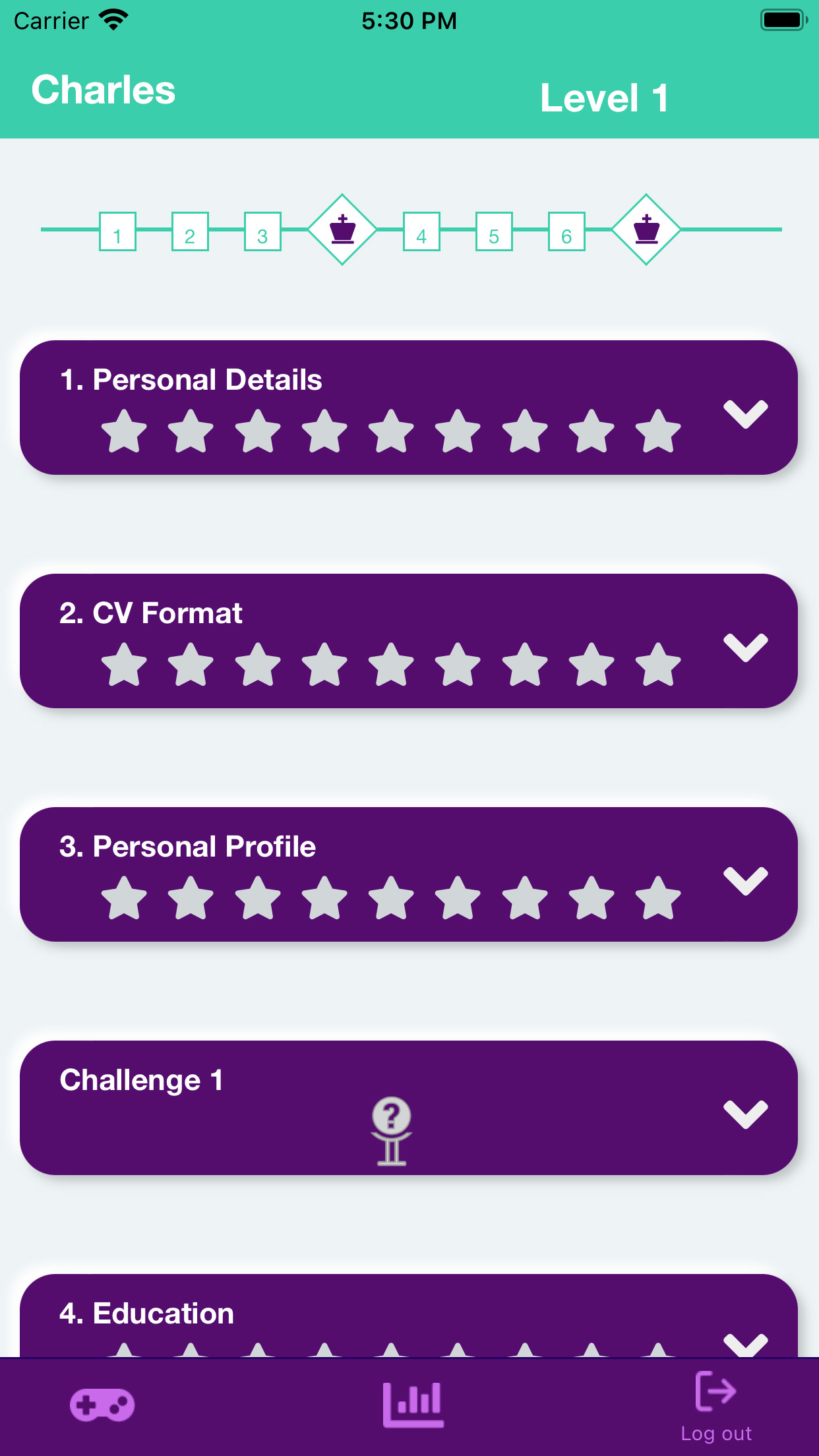
Once you have created an account, you will be presented with the main screen. This screen contains chapters for each important section of a CV.

main screen

The Chapters include:

  1. Personal Details
  2. CV Format
  3. Personal Profile
  4. Education
  5. Work Experience
  6. Computer Skills

Each Chapter contains exercises specific to that section of the CV. eg. the CV Format chapter only contains exercises on the overall format of a CV. There are also 2 Challenges. These challenges test your knowledge of everything covered across the six Chapters.

To begin, the Personal Details chapter is available while the other chapters are not. To progress through the chapters, you need to earn enough stars. There are a total of 9 stars to collect in each chapter.

Click the dropdown arrow to access the exercises.

Exercises

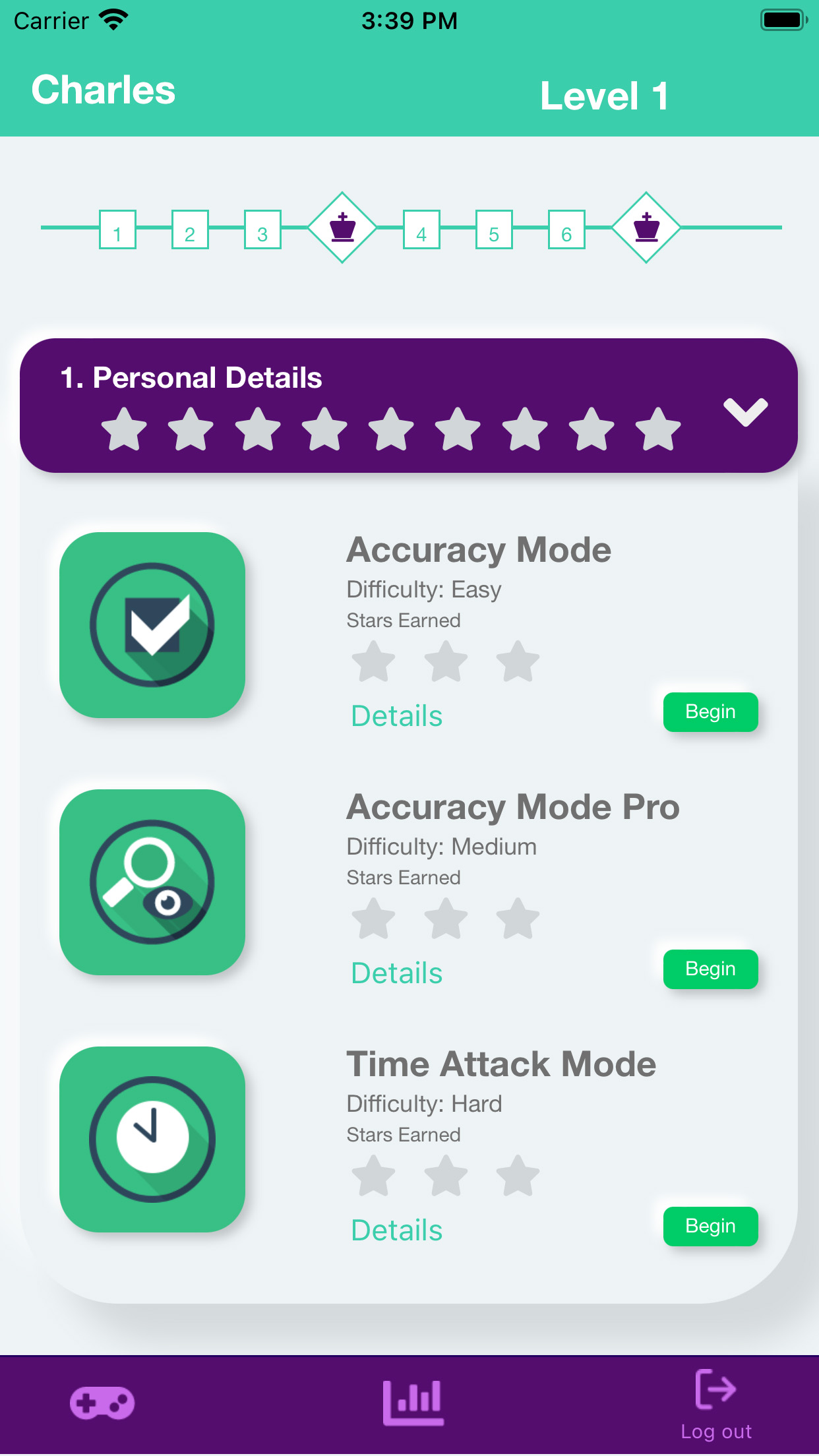
exercise modes

There are three exercises for each Chapter:

  1. Accuracy Mode
  2. Accuracy Mode Pro
  3. Time Attack Mode

Click the begin button to start the exercise.

You will need to rotate your device to complete the exercise.

exercise

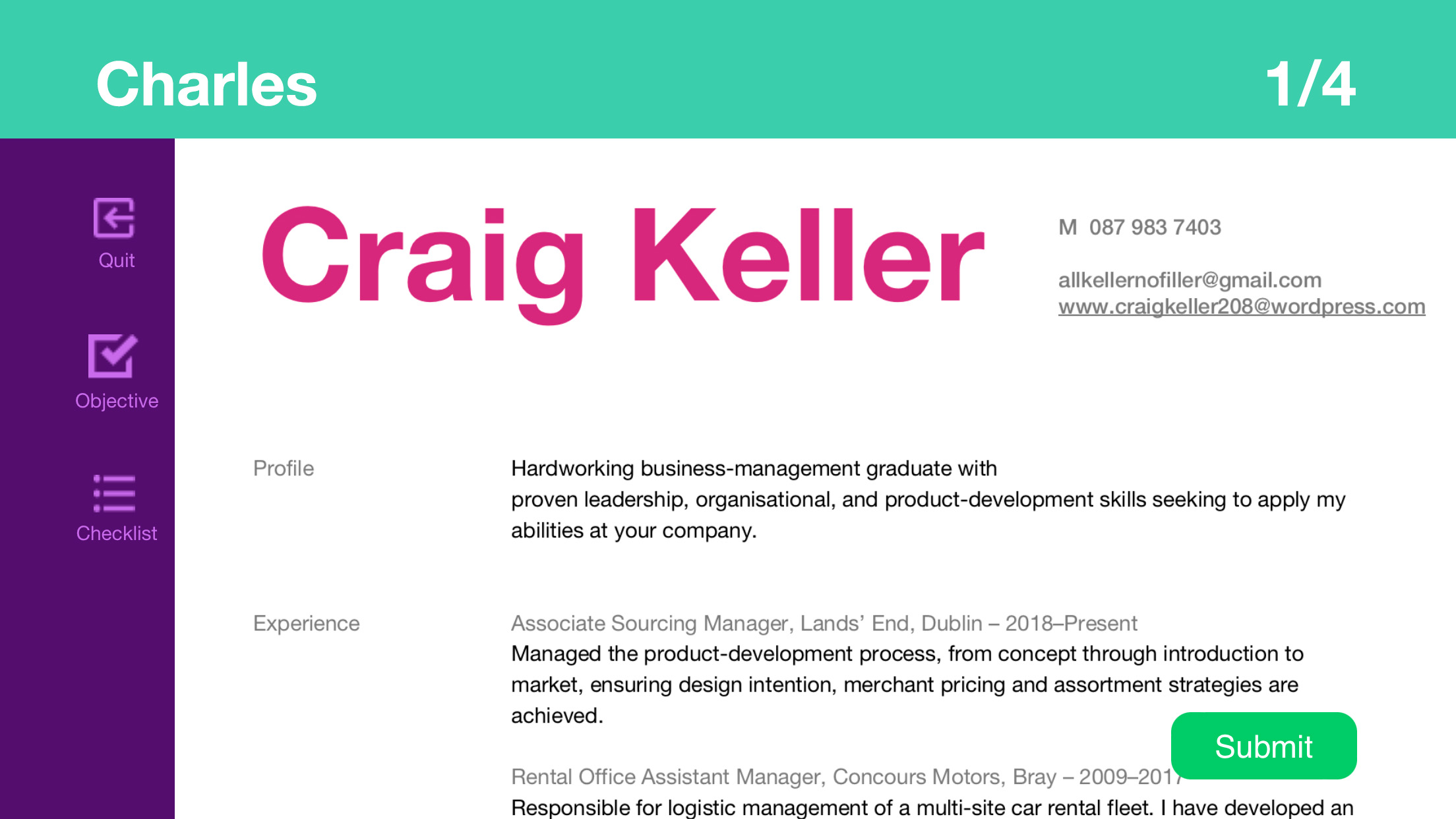
In the exercise screen, you will be presented with a CV. Along the left menu you will have access to the Objective button and Checklist button.

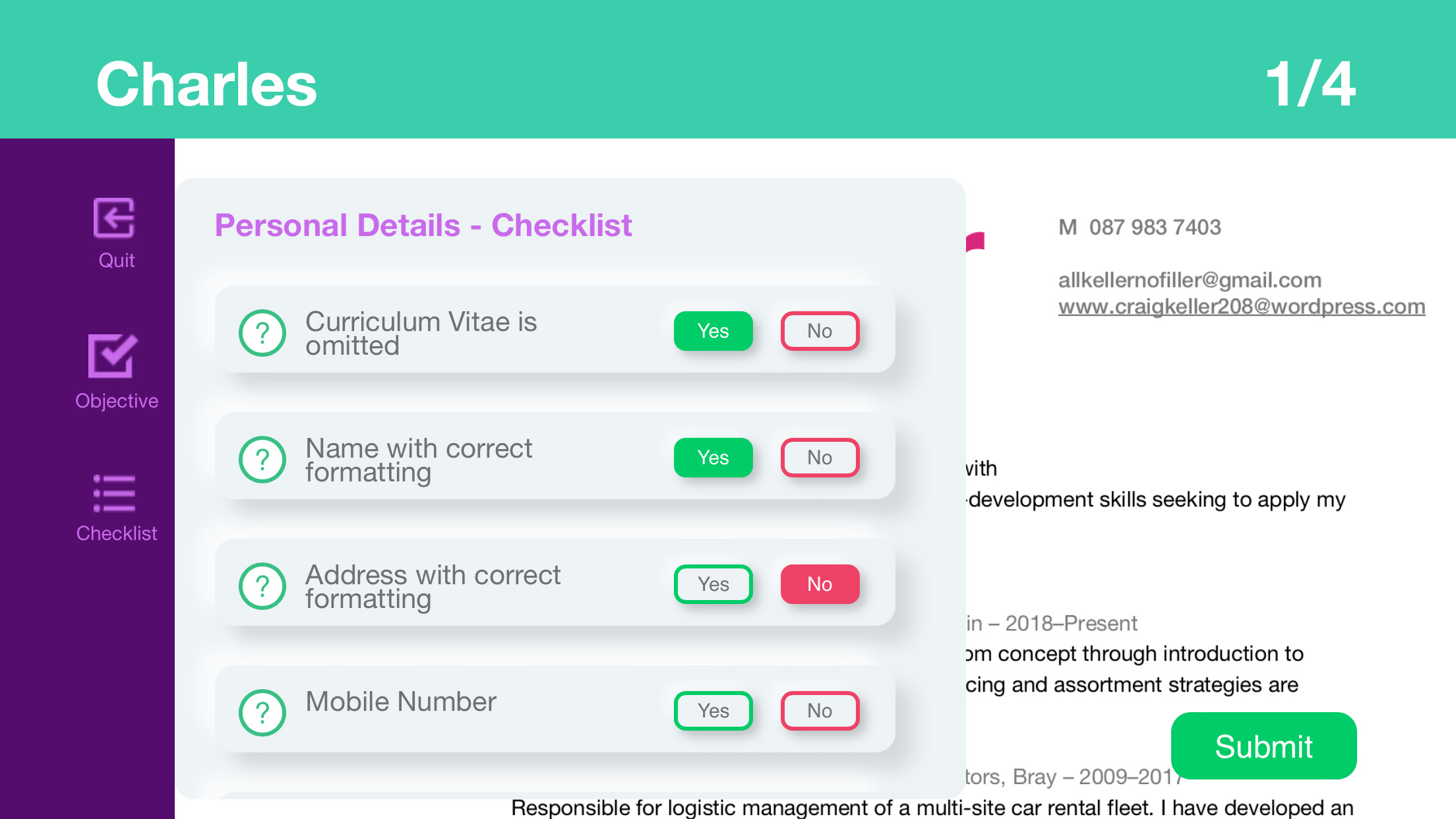
checklist

Review the CV and click ‘Yes’ if the CV meets the checklist requirements or click ‘No’ if it doesn’t.

Click the ‘Submit’ button to review your answers and then click ‘Next’ to proceed to the next CV.

There are a total of 4 CVs to review in each exercise mode.


Support

If you have any questions or require support, do not hesitate to contact the developer at adam.mcguire@setu.ie.